Pre-register for 50% off · until December 8
- Courses
- Work automation
A course on handing repetitive work to Claude + a teaching assistant that helps you learn live, like a private tutor
No coding needed. Learn to hand repetitive work to Claude in 9 lessons, and when you get stuck, ask the teaching assistant right there.
Course detailsYou pay after the opening
- Opens December 9
- 9 online lessons
- Live teaching assistant
- Rewatch any time
- No coding needed
- Pre-registration is free
Reservations close in
–d–h–m–s
Closes December 8 at 11:59 pm (KST)
50% off for those who pre-register
Reserving is free. Decide about paying after the opening.
- Now
Pre-register by email
No payment. Just your email.
- December 9
Get the opening email
We send the discounted payment link to that address.
- By December 15
Pay ₩55,000
Pay by then and it is ₩55,000, not the regular ₩110,000. You do not have to pay.
Sound familiar?
Have you ever, in the middle of a course,
- followed the steps, hit an error and stopped right there
- found your screen did not match the lesson and did not know where to click
- had no one to ask and never finished
It was not a lack of willpower.
There was simply no one beside you when you got stuck.
So we added a teaching assistant to the course
How the teaching assistant helps
Like a private tutor, it helps you with the lesson you are on.
- POINT 1
Ask the moment you are stuck
Call the assistant right where you got stuck. No forum post, no waiting for a reply.
- POINT 2
Answers fit your lesson
It explains for the lesson and step you are on, so you do not start over.
- POINT 3
One next step at a time
It tells you what to do next, one step at a time, until you are past the problem.
Which computers (Mac, Windows) the assistant runs on and how to start will be in the opening email. Decide about paying after you read it.
How is it different from learning alone?
Learning alone
- When stuckYou search or post a question and wait
- ExplanationsEveryone hears the same explanation
- Next lessonEasy to stop where you got stuck
With the teaching assistant
- When stuckYou ask the assistant right there
- ExplanationsExplanations fit the step you are on
- Next lessonGet past it and keep going
Curriculum
Follow the 9 lessons of “Claude Code Basics for Non-Developers” with the teaching assistant.
Claude Code Basics for Non-Developers9 lessons
- Lesson 1Why AI is confidently wrongLearn three words, LLM, hallucination and context, through everyday pictures, and see answers get accurate once you hand over the material.
- Lesson 2How AI reads textUnderstand transformers, tokens and attention as cutting up, highlighting and a store of knowledge.
- Lesson 3Web chat AI vs Claude CodeWatch a Mac demo of Claude Code reading files in a folder on your computer and saving a result file.
- Lesson 4Terminal basics, without the fearMake a work folder, my-first-claude, with four commands: pwd, ls, cd and mkdir.
- Lesson 5Install Claude Code and say helloInstall Claude Code the official way and have a first conversation in your work folder.
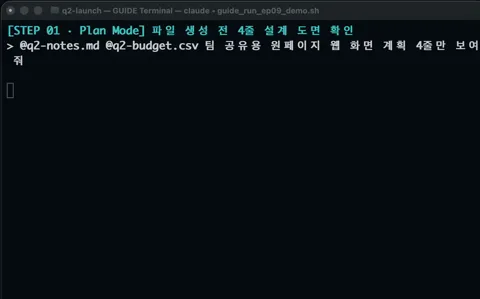
- Lesson 6Three safety belts for your filesRead permission prompts, plan first with Shift+Tab, and undo with Esc twice.
- Lesson 7Hand over only the files you needPick files with @, and clear the conversation with /clear when you start a new task.
- Lesson 8CLAUDE.md: rules it remembersWrite your format and tone rules once in CLAUDE.md so you stop repeating them.
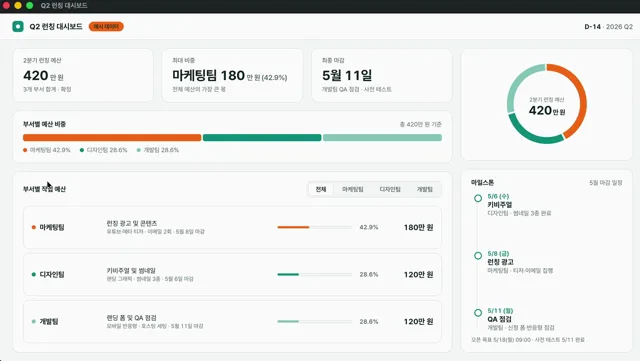
- Lesson 9Your first web page from a memoCombine lessons 1 to 8 in four steps to turn a sample memo into a web page that opens in your browser.
Pre-register
- Opens
- December 9, 2026
- Course fee
Pre-registration · 50% offpay by December 15
Regular price
₩110,000Offer price ₩55,000Save ₩55,000One payment after the opening
- All 9 lessons
- Live teaching assistant
- Rewatch any time
Reserving is free. On December 9 we email you the discounted payment link, and you decide then.
Frequently asked questions
- Q1.Do I pay now?
- No. Today you only leave your email. When the course opens on Wed, December 9 we email you the discounted payment link. Pay by December 15 and it is ₩55,000; you do not have to pay.
- Q2.How much is it without a reservation?
- The regular price, ₩110,000. Reservations are open until December 8.
- Q3.Which computers does it work on?
- The lesson videos play on the web on any computer. Which computers the teaching assistant runs on will be in the opening email. Tell us your computer when you reserve and it helps us decide what to prepare first.
- Q4.Can I take it without knowing how to code?
- Yes. You never write code yourself. Lesson 4 teaches the four terminal commands from scratch, and the rest is plain instructions to Claude Code.
- Q5.Do I need a Claude plan as well?
- Lessons 1 to 4 are explanations and demos, so you need nothing extra. To practise on your own computer in lessons 5 to 9 you need a paid Claude plan (Pro or higher) or an Anthropic API key, paid separately from the GUIDE course fee.
- Q6.Can I cancel my pre-registration?
- Yes. Tell hello@berakio.com and we delete your email right away.